Crafting Unique Easter Favors with the Easter Bunny Wide Window Gable Favor Box
A Template Designed for Practical Implementation
The Easter Bunny Wide Window Gable Favor Box is more than just a cute design. It is a specific, production-ready asset tailored for a practical workflow. For creators, small business owners, and event planners, this template fits into a distinct phase of the preparation process: the assembly and personalization of physical party favors. It arrives after the conceptual planning of an event and before the final distribution of gifts. Its role is to provide a consistent, branded, and charming vessel for treats, bridging the gap between a digital design file and a tangible product ready for guests.
Understanding the Template's Structure and Components
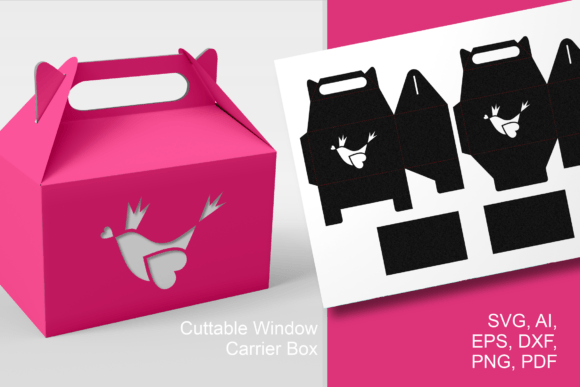
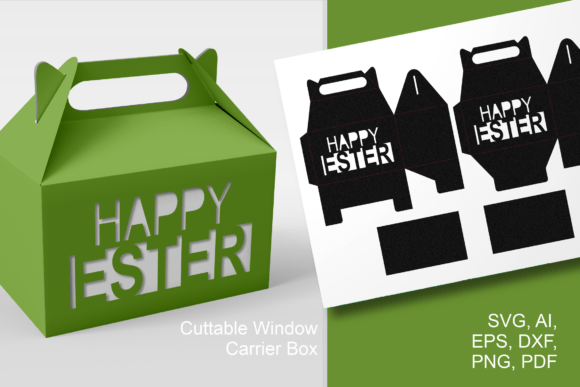
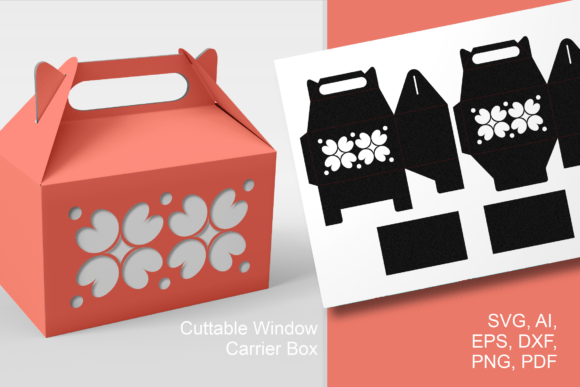
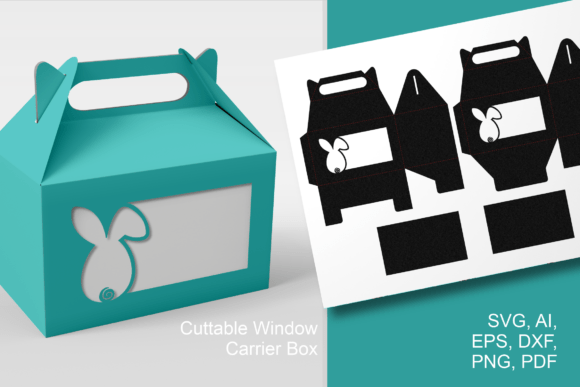
This paper-cut template for a gable favor box with "Easter Bunny Wide Window" decorative see-through holes is engineered for efficient assembly. The carrier-style box consists of four distinct parts: two for the main box structure and two for the transparent inserts. This separation is crucial for workflow efficiency. It allows you to cut the structural cardstock and the clear film or acetate independently, perhaps using different materials or even different cutting tools if needed. The decorative bunny windows are located on the broader sides of the box, on the front and back, ensuring the festive design is visible from multiple angles. Understanding this built-in architecture helps you plan your material choices and cutting sequence.
Integration into Creative and Business Workflows
How you use this template depends on your broader project goals. For a hobbyist preparing a family Easter gathering, it might be a standalone, fun weekend activity. For a professional—a baker, a confectioner, or a party planner—it integrates into a larger operational chain. It becomes a packaging solution that must align with other elements: the type of sweets being made, inventory management, branding consistency, and time allocation for assembly.
Compatibility with Tools and Resources
A key factor in smooth integration is tool compatibility. The template comes as a bundle of digital vector files—SVG, EPS, AI, DXF—and a PDF, plus PNG and JPG images. This format suite is deliberate. The vector files are for cutting machines like Cricut or Silhouette, automating precise production for batch-making dozens of boxes. The PDF is ideal for manual printing and cutting, or for sending to a professional print service. The raster files (PNG/JPG) might be used for quick mock-ups in presentation software or on a website. This multi-format approach ensures the asset can interact with the various tools already in your workflow, from design software to physical cutting equipment.
Preparation and Material Considerations
Before execution, consider material compatibility. The box is designed for cardstock, but the success of the "wide window" feature hinges on your choice of transparent insert. Clear acetate, thin PVC sheets, or even certain vellum papers are viable. Testing one box first—a quality control step—is advisable. Also, note the default size: approximately 4 x 6.5 x 6.5 inches (10 x 16 x 16 cm). This dimension is perfect for candies, cookies, donuts, or small spring gifts. However, the vector nature of the files means you can resize the templates before cutting. This is a critical flexibility point. If your product is smaller, like chocolate eggs, you can scale down efficiently in your design software, maintaining all proportions. This prevents wasted material and ensures a snug, professional fit for your contents.
Practical Implementation Tips and Use Cases
Let’s outline a real-world implementation scenario. Assume you are a small bakery preparing Easter-themed cookie boxes for local delivery.
- Phase 1: Planning & Resizing You measure your cookies. Determining they are best presented in a slightly taller box, you open the SVG file in your design software, increase the height dimension proportionally, and save your custom version.
- Phase 2: Batch Production You load your preferred cardstock (perhaps a pastel color) and the clear acetate into your cutting machine. Using the adapted SVG, you cut 50 box parts and 50 window inserts. The separation of files makes this two-step cut easy.
- Phase 3: Assembly & Quality Control You fold, glue, and insert the transparent windows, creating a uniform batch. The wide windows allow the cookies to be seen without opening the box, adding to the appeal. You spot-check for consistent assembly and sturdy construction.
- Phase 4: Integration & Distribution The completed boxes are then integrated into your packing line. They are filled, perhaps tied with a ribbon that complements the bunny design, and added to delivery bags. The final product is consistent, charming, and functionally protects your baked goods.
This process illustrates how the template moves from a digital asset to a physical, functional component in a commercial workflow. For educators or bloggers, the use case might be different. An art teacher could use the PDF version for a classroom project, teaching students about design, geometry, and handicraft. A lifestyle blogger might create a few boxes for a photographed "DIY Easter Brunch" tutorial, using the boxes as a central, visually appealing prop that demonstrates a practical skill.
Organization for Long-Term Use
For the productivity-minded user, consider organizing this asset for long-term reuse. Save your resized versions with clear filenames (e.g., "Easter_Bunny_Box_Tall_Version.svg"). Store the original files in a dedicated "Party Packaging" digital folder alongside other favor box templates. This creates a reusable library, saving time for next year’s Easter project or for other spring events. The template’s design, by Print Cut Hang, is inherently seasonal, but its carrier-style structure is versatile. With different decorative cut-outs, the same base box template could be adapted for other holidays—a workflow efficiency gained by understanding the underlying template structure.
Outcomes and Consistency
The ultimate outcome of integrating the Easter Bunny Wide Window Gable Favor Box is consistency and elevated presentation. Whether producing favors for a large party or a few special family gifts, the template ensures every box has the same professional finish. The decorative windows provide a unique, interactive element—the contents are partially revealed, building anticipation. This consistency is valuable for business branding and for personal projects where a polished look is desired. It removes the variability and potential frustration of designing a box from scratch, providing a reliable, tested starting point.
Moving from Concept to Finished Product
The journey from downloading a digital file to holding a completed box is a satisfying process. This template facilitates that transition cleanly. It provides clear guidelines through its cut lines and fold marks. The inclusion of the separate inserts acknowledges a practical assembly step. By focusing on these details, the template supports a smooth execution phase, minimizing trial-and-error and material waste. For entrepreneurs and marketers, this reliability translates to predictable production times and costs, which are essential for planning. For hobbyists, it translates to a enjoyable crafting experience with a guaranteed charming result.
Enjoy making these cute gable treat boxes. By understanding its role in your workflow—whether that workflow is a business operation, a creative hobby, or an educational activity—you can leverage the Easter Bunny Wide Window Gable Favor Box template effectively, integrating it into your process to produce delightful, practical, and memorable spring favors.